All use cases / Listing content updates
Update Amazon listing content from Google Sheets
Update approved titles, bullets, and product details. Review changes before submitting.
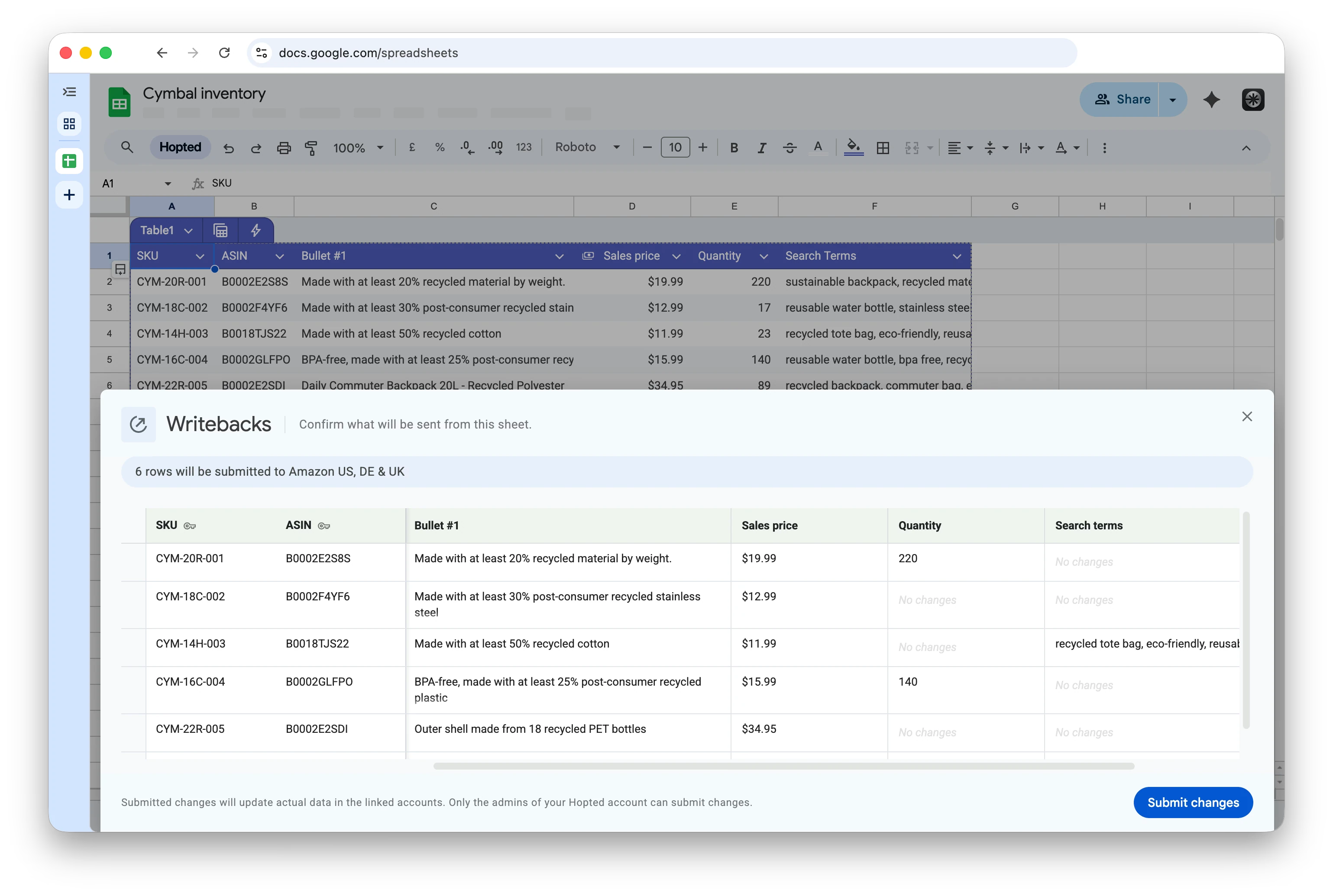
Choose the content rollout you need
Titles and Item Highlights
Start with Product name and Item Highlights beside SKU, ASIN, and marketplace. Roll out approved titles and supporting phrases across the selected products.
Bullet points and descriptions
Keep the approved bullet text and Product Description beside current values. Apply a corrected feature or a new content brief to the selected products.
Backend search terms
Add Generic Keywords for backend search terms. Prepare the intended terms for each marketplace.
Image replacements
Match each replacement image URL to the correct product and image slot. Image contributions can affect the ASIN across marketplaces.
Keep catalog accuracy and content rollouts together
Prepare launch-ready listing content
For launches and range extensions, bring existing listings into a shared content review. Keep SKU, ASIN, marketplace and current values beside the approved copy before an account admin submits.
Review attribute gaps by marketplace
Compare imported titles, bullet points and attributes with your approved product data. Find supported fields in the reference; accepted values depend on the account, product type and marketplace.
Build or repair variation families
Check color, size and required variation attributes alongside the parent-child structure. Use the dedicated workflow to connect or reconnect existing child listings to the correct parent.
Review performance after content changes
Review sales, traffic and conversion after a content rollout. Add the update date and your team’s notes beside the metrics when assessing what to improve next.
Keep content exceptions moving
Maintain your own owner, approval status and Seller Support case notes in spreadsheet columns. Check Last Writeback Issues after submission, then follow up in Seller Central on issues that need further action.
Questions & Answers
Yes. Edit supported content fields for many existing SKUs in one Google Sheet, then review and submit the batch. Bulk updates can include titles, bullet points, descriptions and backend search terms. You can apply the same value to several products or prepare different values for each SKU. Follow the complete setup and submission guide to get started.
Yes. Each imported listing row has its own editable cells, so a bulk update can contain different content for every SKU. Match the approved copy to the SKU, ASIN and marketplace, with current values beside the proposed edits. Review product details and required attributes before an account admin submits.
Yes. Add the Generic Keywords field from Listing Edits, enter the intended search terms for each imported listing, then review and submit them through Hopted. This workflow does not require exporting and uploading an Amazon flat file. Use terms and values that meet Amazon’s requirements for the product and marketplace.
Supported fields include Product name for titles, numbered Bullet fields, Product Description, Generic Keywords, Item Highlights, image URLs, Color and Size. Search the supported-attributes reference for exact field names, alternative names and examples. Availability depends on the account, product type and marketplace.
Yes. Select the rectangular range of Writeback cells you intend to send, then choose Edits in selected range. Check every included product and field in the review: hidden or filtered rows can still be included, blank cells can clear supported fields, and unchanged values can be sent again. See how to control the update range.
Yes. Connect the relevant accounts and import each marketplace’s existing listings into one Google Sheets workbook. Your team prepares and approves localized copy, search terms and product attributes for each destination. Review the destination before an account admin submits. Each imported row stays linked to its source account, marketplace and SKU.
Yes. Add supported image fields, enter the replacement image URL for each listing and image slot, then review and submit the batch. Amazon treats these image updates as global ASIN contributions, so an image may also appear in other marketplaces where the ASIN exists. Use Seller Central Image Manager for country-specific images.
No. Changing cells or refreshing the sync does not submit a Writeback. Keep your team’s copy approval or launch status in your own spreadsheet columns while preparing the batch. An admin of the Hopted account must open the review, decide which changes to include and select Submit changes.
Hopted sends the submitting admin a confirmation email when the Writeback finishes. It confirms whether the updates were successfully submitted to Amazon, with counts of successful, partially successful and failed rows for each marketplace. Check this email and Last Writeback Issues before retrying. Successful submission does not guarantee that every change appears on the public product page. Read the Writeback results guide.
This workflow updates existing imported listings. Create new product listings in Seller Central first, then import them to review launch content and prepare supported updates. Adding a row or typing a new SKU into the sheet does not create a new Amazon listing. For parent and child relationships, follow the dedicated variation-family workflow.
