Understand your account usage
See how syncs, linked accounts, collaborators and Writeback rows contribute to usage.
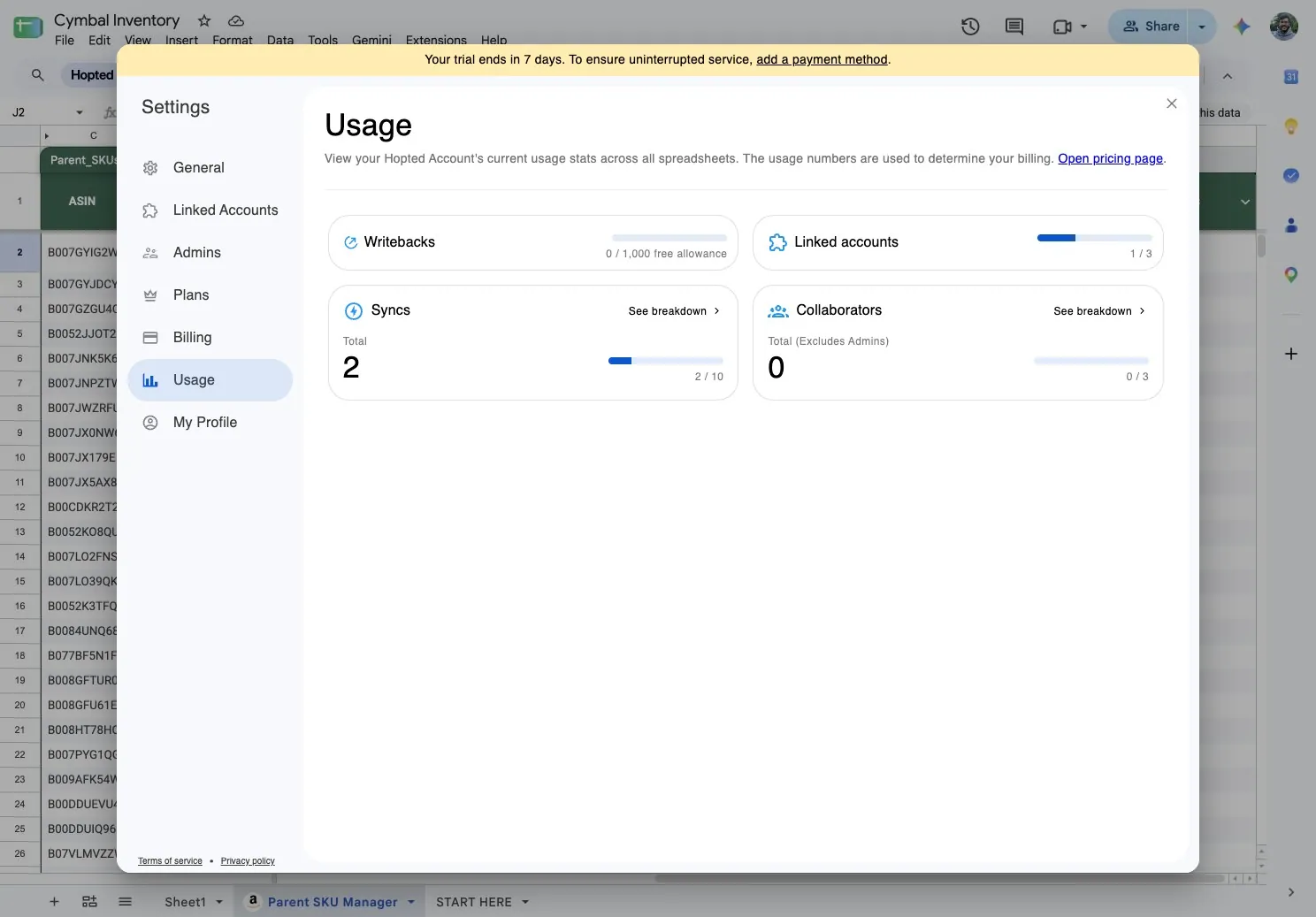
Settings → Usage shows usage across the selected Hopted account's linked spreadsheets. It is not limited to the tab you currently have open.
Read the main usage measures
- Syncs: configured data imports into sheet tabs. Use the spreadsheet breakdown to find where they are running.
- Linked accounts: enabled connected accounts used by Hopted. Disabled accounts are not counted toward linked-account billing.
- Collaborators: people with access to Hopted-linked spreadsheets. Admins are displayed separately and excluded from billable collaborator counts.
- Writebacks: successfully accepted product rows, with the current allowance and usage shown where available.
Collaborator usage counts each email address once across this Hopted account's linked spreadsheets with active syncs and Hopted access. Viewer and commenter access can count too; installing Hopted or editing a cell is not required. Sharing several spreadsheets with the same email does not use extra collaborator seats.
Accepted admins and pending admin invitees are excluded from collaborator usage when their email matches. They use the separate admin-seat allowance. Compare admin and collaborator pricing.
Investigate a count
- Open Settings → Usage.
- Use See breakdown for the relevant measure.
- Check the spreadsheet names, connections or people listed.
- Make the appropriate change in sync settings, Linked Accounts, or Google sharing, then check usage again.
If there is no data yet, first check whether the account has active syncs. Usage details may take time to reflect a recent change.
Amazon Ads profiles for the same advertiser and region count as one linked account. Connecting one Amazon login can add several such account groups.
- Use Settings → Linked Accounts to disable unused accounts.
- Then check the breakdown again.
Disabling a linked account reduces usage; it does not automatically reduce a paid add-on or cancel your subscription.
- Review Settings → Plans to adjust purchased capacity.
- Check the amount and effective date before confirming a billing change.
Understand Writeback counting
Multiple accepted attribute edits in one product row within the same submission count as one successful row. Failed rows do not count. A later successful submission of the same row counts again. See Writeback results and usage.
Choose the next step
If legitimate usage exceeds included capacity, review the offered capacity option or Plans. If the count looks wrong after checking the breakdown, contact support with the measure and relevant spreadsheet names.