Change your Hopted interface language
Set the Hopted app language in My Profile without changing your business data.
The Hopted interface language is a profile preference. It is separate from the language of your Amazon product content and the content of your Google spreadsheet.
Choose a language
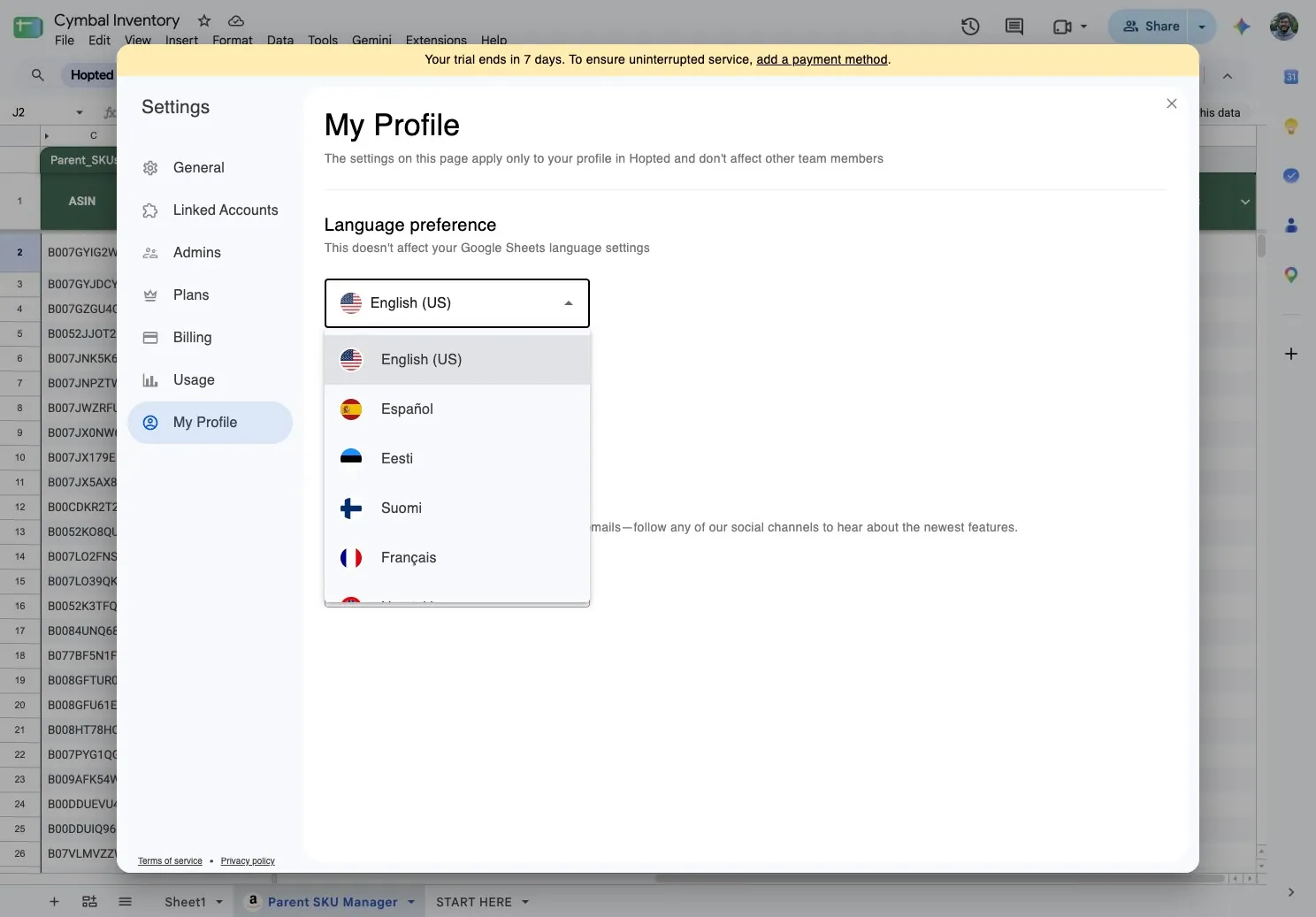
- Open Hopted → Settings → My Profile.
- Find the language preference and open the language selector.
- Choose the language you want to use for the Hopted interface.
- Check the updated labels. If another open spreadsheet still shows older labels, reload that tab.
Understand what changes
The preference changes Hopted's interface labels. It does not translate Amazon listing descriptions, imported report values, or your own sheet content.
Use the language selector on this website to change the Help Center language. This is separate from your profile setting in the Hopted app.
If you cannot find the setting
Check that you are signed in to Hopted. Follow Restore the Hopted button if Hopted does not appear in Google Sheets, or contact support if My Profile does not load.